
After Google’s search operators, I went after the URL parameters, through a second sleepless night. Operators are what you type in the query: site:, quotation marks, -word. Parameters are what you write in the URL, after the ?: udm=, tbs=, gl=, uule=.
Two different levers. The second is more powerful and less documented: Google has never published the list. And SEO guides copy tables from 2015 without re-testing.
So I re-tested, parameter by parameter, in my browser, from France. Verdict: most of them still drive the SERP, some are silently ignored. And a whole family is “rewritten”: Google accepts the parameter, then transforms it before your eyes.
Operators or parameters: not the same tool

An operator acts on the query: it filters documents. A parameter acts on the context of the search: the country, the language, the city, the vertical (Web, Images, News, Shopping), personalisation, the page, the time window.
No operator will show you the SERP of a user in Strasbourg, nor page 3, nor the “blue links” version without AI Overview. Parameters will. Conversely, no parameter replaces site: or quotation marks.
The two combine. That is where side effects begin, and we will get there.
The protocol (reproducible at home in 10 minutes)

Tests run between 13 and 21 September 2026 in Chrome, signed-in Google account, French IP, on google.fr then google.com (with hl=fr and gl=fr), desktop window. One URL per test, a single parameter changed at a time against a control query (“chaussures trail”, French for trail shoes: 10 organic results, 29 sponsored Shopping tiles, no text ad, no AI Overview).
What I look at, without clicking:
- the active tab;
- the “About N results” counter;
- the first five titles;
- the presence of an AI Overview and of ad blocks;
- the “From your IP address” footer;
- the “Results for…” banner.
And above all the final URL, because Google sometimes rewrites it before displaying the page.
Two points of honesty. One: the signed-in account weighs on the outcome, especially on gl=, I come back to it. Two: my own plugin (more on it at the end) was adding pws=0, gl=fr and hl=fr to every URL.
These three parameters are therefore constant across all tests. That invalidates nothing: I compare each test with the control under the same conditions. The pws=0 A/B was run with pws=1 written in the URL: the plugin never overwrites a value that is already there. The tests were run with the French interface; the interface labels quoted in this article are their English equivalents.
And the advice learned the hard way: space out your queries. Fourteen URLs ten to fifteen seconds apart earned me the “unusual traffic detected” page and its reCAPTCHA.
One minute between two tests, no less, and even that is not always enough: on 20 September, two sessions one minute apart were blocked from the third URL. Once you are flagged, you stay flagged for a while. Google also keeps an eye on the people auditing it, nothing has changed since the operators article.
The matrix: alive, rewritten, zombies, ignored
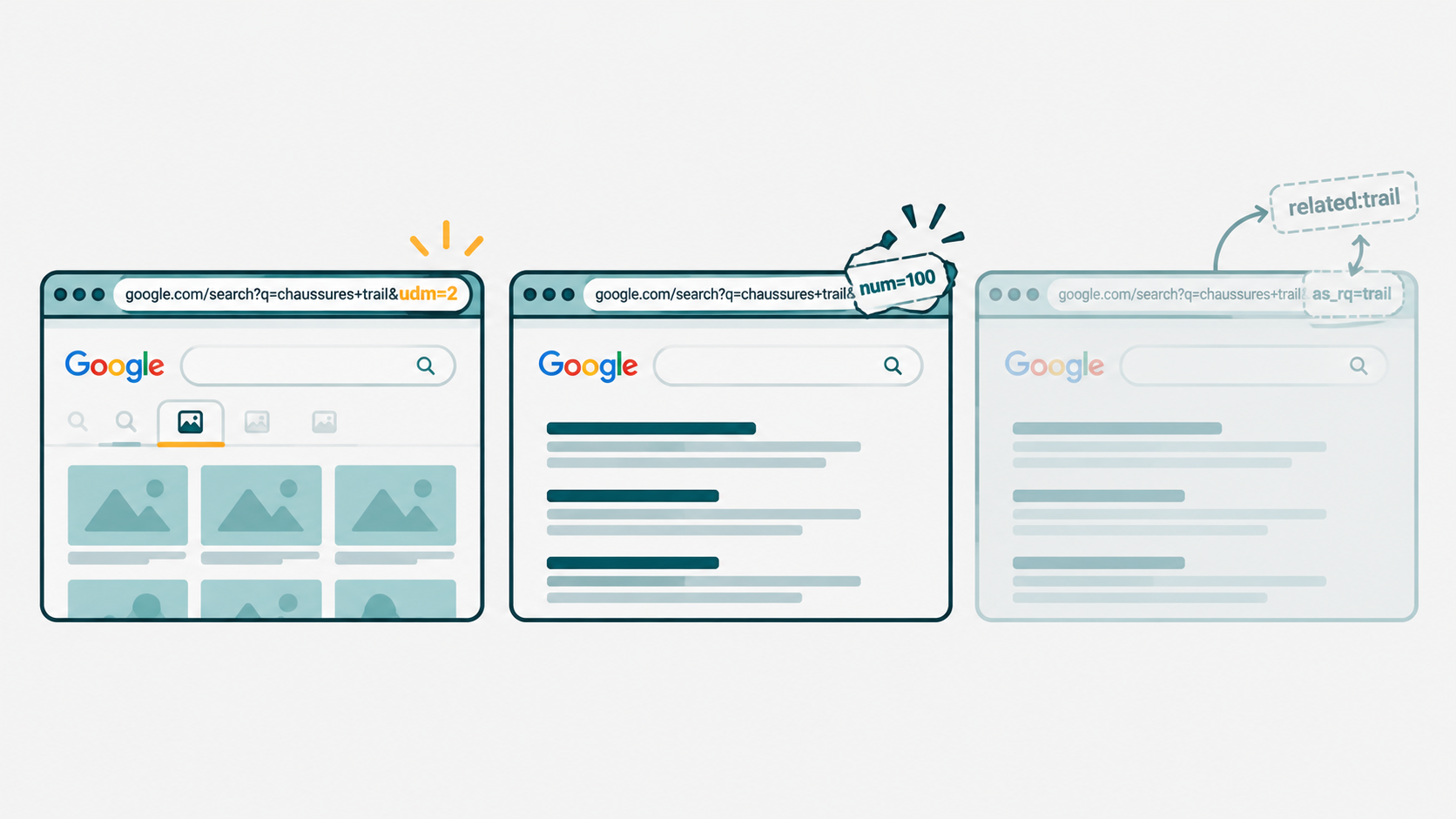
Four verdicts this time, because parameters have a category that operators do not:
- ✅ drives: the effect is visible on the SERP;
- ↪️ rewritten: Google accepts the parameter, then replaces the URL or the query with its own form (the effect is there, but not in the form you typed);
- 🧟 zombie: accepted without error, no visible effect;
- ☠️ ignored: no effect, or overridden by another parameter.
Tabs and verticals: which SERP you get
| Parameter | Verdict | Observed behaviour |
|---|---|---|
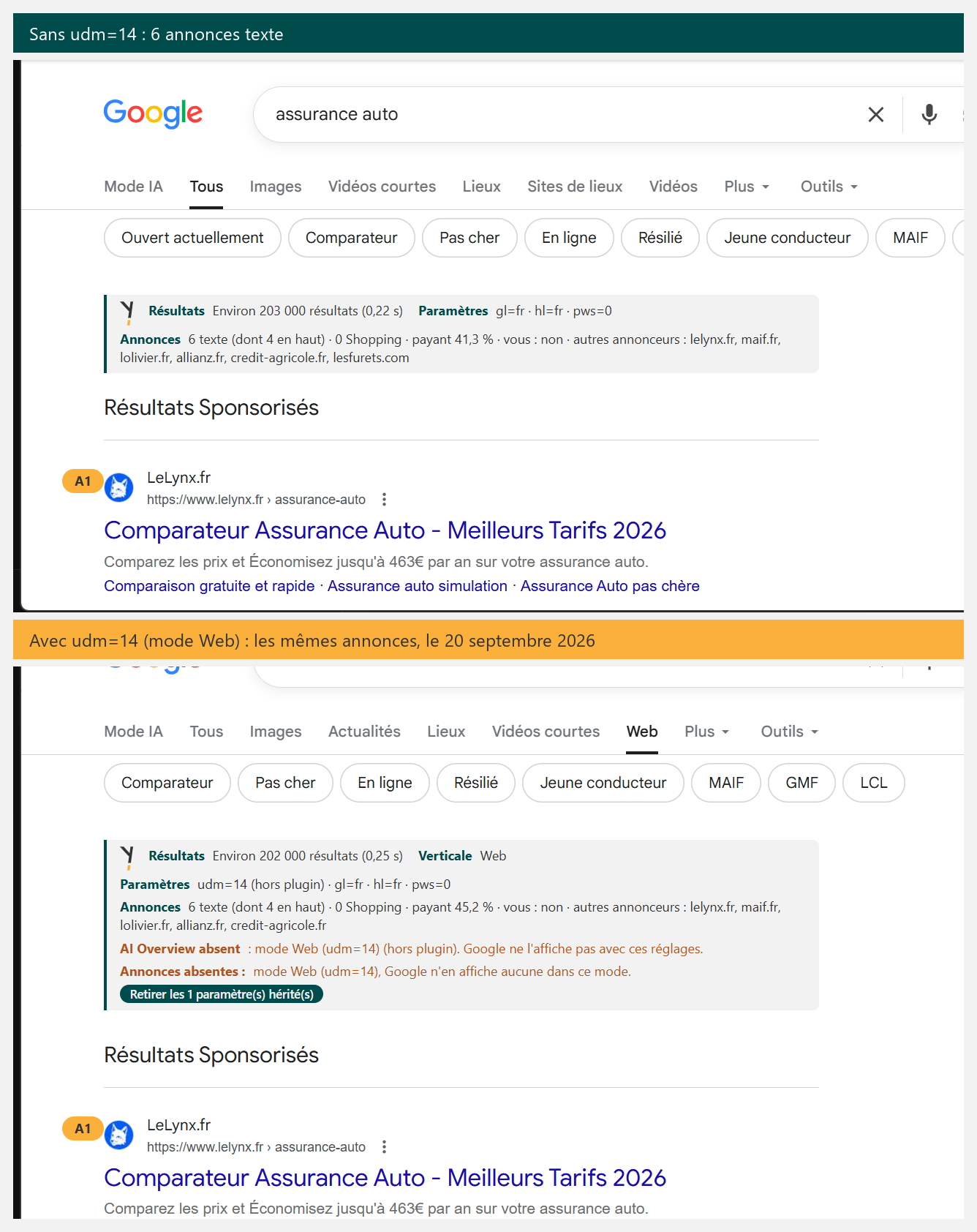
udm=14 (Web) | ✅ Drives | Web tab, same titles as the control, no AI Overview; no Shopping tile and no ad on the control query, but 6 text ads on 20 September on “assurance auto” |
udm=2, 7, 39, 18, 12, 28, 3, 36, 1, 50 | ✅ Drives | Images, Videos, Short videos, Forums, News, Shopping, Products, Books, Places, AI Mode (udm=12 rewritten into tbm=nws) |
udm=51, udm=8 | ✅ Drives | Homework and Jobs, absent from the lists doing the rounds; the Jobs page has no classic result |
ibp=htl;jobs | ↪️ Rewritten | Replaced by udm=8&jbr=sep:0 before display; the assumed forms for hotels and flights (ibp=htl;hotels, ibp=htl;flights) are stripped from the URL: ordinary SERP |
tbm=isch, tbm=vid, tbm=shop | ↪️ Rewritten | Google replaces the URL with udm=imgs, udm=vids, udm=28 before displaying the page |
tbm=nws, tbm=bks | ✅ Drives | Kept as they are: News and Books |
Filtering and refining results
| Parameter | Verdict | Observed behaviour |
|---|---|---|
tbs=dur:s (with udm=7) | ✅ Drives | Duration filter of the Videos tab, s = short. The ten videos displayed last between 0:29 and 3:18, none beyond 4 minutes. |
tbs=isz:l (with udm=2) | ✅ Drives | Size filter of the Images tab, l = large. The “Large” filter shows as active in the filter bar, and the counter drops from 53.5 million results without filter to 20.7 million. |
tbs=ift:png (with udm=2) | ✅ Drives | File type filter of the Images tab. The “PNG files” filter shows as active, 4 million results, and the images on the page are indeed .png. |
tbs=li:1 (Verbatim) | ✅ Drives | Word for word; removes the AI Overview, a single ad block, Shopping and Products empty |
nfpr=1 | ✅ Drives | No more “Results for…”, your spelling is kept |
tbs=qdr:h, d, w, m, y | ✅ Drives | Sliding window; removes the AI Overview; ignored if after: or before: is in the query |
after: / before: | ✅ Drives | Precise range, takes precedence over qdr |
tbs=sbd:1 | ✅ Drives, News only | Ignored in Web search, even with a time window |
tbs=cdr:1,cd_min,cd_max | ✅ Drives | Custom date range, on its own: 226,000 results dated February to June 2025; ignored only when a qdr is present |
Language, country and location
| Parameter | Verdict | Observed behaviour |
|---|---|---|
gl=XX | ✅ Drives, conditionally | Country signal; ignored when the signed-in account is already localised |
hl=XX | ✅ Drives | Interface language |
lr=lang_XX | ✅ Drives | “Pages in…” filter |
cr=countryXX | ✅ Drives | Results change, with no indicator in the interface |
uule= | ✅ Drives | Footer “City, From your IP address”; the + must stay raw (%2B ignored) |
Display, safety and personalisation
| Parameter | Verdict | Observed behaviour |
|---|---|---|
safe=active / off | ✅ Drives | “SafeSearch locked on Filter” |
filter=0 | ✅ Drives | Near-duplicates reappear |
start=N | ✅ Drives | Pagination; no more AI Overview beyond page 1 |
num=N | ☠️ Ignored | Always 10 results; num=100 in a row earns 403s |
pws=0 | ✅ Drives | With personalisation turned on for the account: pws=1 shows “Results are personalised”, pws=0 “are not personalised” (21 September). The difference in results depends on the history |
Advanced search: the as_* shortcuts
| Parameter | Verdict | Observed behaviour |
|---|---|---|
as_q= | ✅ Drives | Equivalent of q=, kept in the URL |
as_eq=word | ↪️ Rewritten | Becomes -word in the search box |
as_oq=word1+word2 | ↪️ Rewritten | Becomes word1 OR word2 |
as_occt=title | ↪️ Rewritten | Becomes allintitle: (413 results against 18 million) |
as_epq= | ↪️ Rewritten | Equivalent to quotation marks |
as_nlo=100&as_nhi=150 | ↪️ Rewritten | Becomes 100..150 in the search box (11,300 results) |
as_qdr=w | ✅ Drives | One-week freshness (154,000 results instead of 18 million); stays as is in the URL, twin of tbs=qdr:w |
as_sitesearch=, as_filetype= | ↪️ Rewritten | Rewritten into site: and filetype: |
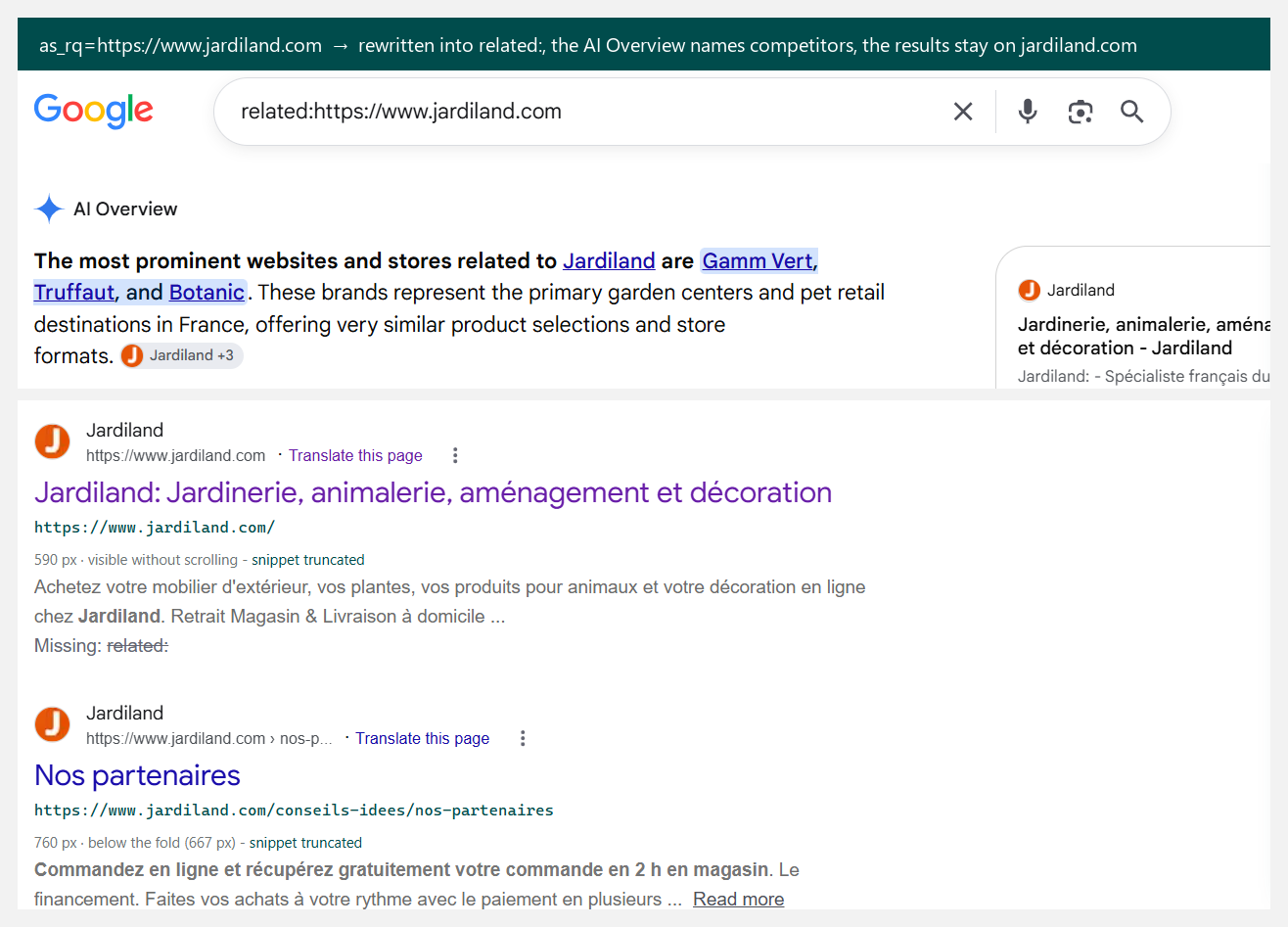
as_rq=URL | 🧟 Zombie | Rewritten into related:URL, a dead operator: Google returns the pages of the domain itself (8,960 results for jardiland.com) |
Entities and technical parameters
| Parameter | Verdict | Observed behaviour |
|---|---|---|
kgmid=/m/02j81 | ✅ Drives | Opens the entity panel without a query; identifier readable in the panel’s data-mid |
igu=1 | ✅ Drives (interface) | Shows the SERP as signed out: “Sign in” link, no avatar; same results |
newwindow=1 | ✅ Drives | Result links open in a new tab (target=_blank); same results |
source=, sclient=, ie=, oe= | ☠️ Ignored | Telemetry and encoding: no difference |

The rewritten ones, or Google correcting your URL
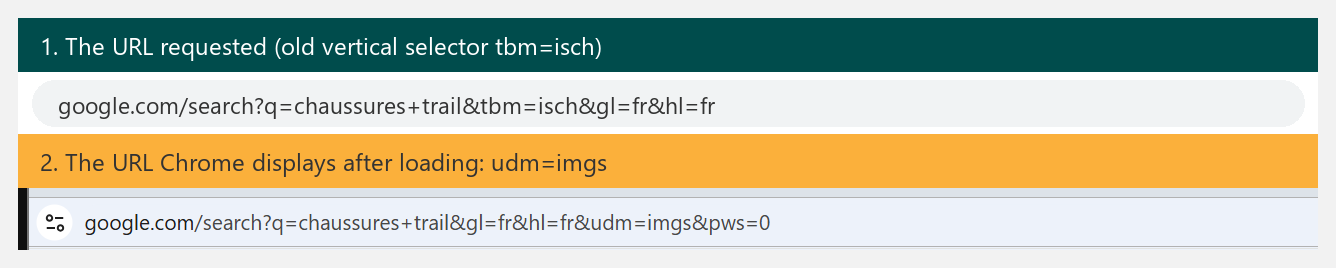
This is the discovery of the session, and it changes the way you read a SERP. Type tbm=isch, the old tab syntax: the Images page shows up. But look at the address bar, Google replaced tbm=isch with udm=imgs before the page even rendered.
Same for tbm=vid (now udm=vids) and tbm=shop (now udm=28). On the other hand tbm=nws and tbm=bks stay as they are. Two generations of parameters coexist, and the migration is not over. udm=12 is itself rewritten the other way round, into tbm=nws.
If your scripts or your bookmarks compare URLs, compare SERPs, not strings.
The as_* family, inherited from the advanced search form, gets the same treatment, but on the query side. as_eq=femme reappears as -femme, as_oq=homme+femme becomes homme OR femme, as_occt=title becomes allintitle:.
These parameters work, but they are only shortcuts to operators. When the operator dies, the parameter dies with it. as_occt=title holds because allintitle: on its own still holds: combine it with site: and you get the zero results of the previous article. as_nlo and as_nhi become the range 100..150, which also holds.
The most instructive one is as_rq=URL. Google rewrites it into related:URL, an operator Google has abandoned, then serves an ordinary search on the string “related:…”, in other words the pages of the quoted domain. The parameter is rewritten, the rewrite leads nowhere.
Irony of 20 September: on as_rq=https://www.jardiland.com, it is an AI Overview that lists competing retailers on its own, while the classic results only return pages from jardiland.com.
Same logic on the verticals side: ibp=htl;jobs, the old door to Google Jobs, is replaced by udm=8 before display.
The side effects nobody mentions
One parameter changes another, and it is rarely written down. Measured on my SERPs:
udm=14removes the AI Overview, and most of the time the ads with it, text and Shopping. On the control query, the 29 Shopping tiles disappear with this single parameter. Most of the time, not always: “assurance auto” (car insurance) in Web mode kept its 6 text ads. A paid search analysis on audm=14URL may conclude that a market has no advertising. Always compare with the SERP without the parameter.tbs=qdr:(any window) removes the AI Overview.tbs=li:1(Verbatim) reduces the ads to a single block and empties Shopping and Products.tbs=qdr:is ignored as soon as the query containsafter:orbefore:. Date operators take precedence over the parameter.uule=with a+encoded as%2Bis ignored without any message; the+must stay raw in the URL.as_occt=titlemade an AI Overview appear on a query that had none. The rewritten query (allintitle: chaussures trail) is no longer the same query in Google’s eyes.start=10and beyond: no more AI Overview.
The dead and the zombies
num= is dead. You get 10 results whatever you ask for, and num=100 in a row earns you 403 responses. The lists that recommend it to “see 100 results at once” describe a pre-2025 Google.
tbs=cdr:1 with cd_min and cd_max is ignored as soon as a qdr sits in the same tbs. On its own, it works perfectly well (21 September), so it is a conflict, not a death.
pws=0, the “no personalisation” of every cheat sheet, has not been documented for years. I had filed it as a zombie a bit quickly.
First A/B, on 21 September: pws=0 and pws=1 return the same ten titles, and the footer says “Results are not personalised” in both cases. Except that on this account, personalisation was turned off, there was nothing to remove.
Once “Search personalisation” is turned on in the Google settings, everything changes. With pws=1, the footer announces “Results are personalised” and offers “Try without personalisation”. With pws=0, it says “not personalised” again. The parameter is alive, Google honours it and says so.
Tasty detail: Google’s own “Try without personalisation” link does not use pws=0 but a cousin, peek_pws=0, a one-off preview without personalisation. Two parameters for the same thing, one of which nobody had listed. What the A/B does not measure yet is the magnitude. On a brand-new history, the ten titles stay identical.
The clearest zombie is as_rq=: accepted, rewritten into related:, and without effect, since the operator it produces is dead. A parameter can outlive its operator, it then no longer does anything.
Three recipes for everyday use

- The neutral SERP, what a stranger sees from France:
udm=14&tbs=li:1&pws=0&gl=fr&hl=fr. No AI, word for word, no personalisation, language and country pinned. Careful, as we saw: ads are most of the time hidden there, so not for a paid search audit. - The localised SERP:
uule=(city, raw+) withgl=andhl=, and the footer confirming “Strasbourg, from your IP address” (yes, “IP address”, even whenuuledid the talking). - The “as before AI” SERP:
udm=14on its own, keeping in mind that the advertising pressure is most of the time hidden there, and therefore underestimated.
The official documentation, a quiet admission
On the documentation side, Google only describes these parameters for its Custom Search API (gl, hl, lr, cr, safe, filter, start, num…). And that list diverges from the public search engine: num is documented there (1 to 10 results per page), it is ignored in the engine. udm, tbs and uule are absent, while they drive the SERP you see.
The documentation describes the API, not the page.
The surviving toolbox
- Keep:
udm=for the vertical (including51Homework and8Jobs),pws=0,tbs=li:1,tbs=qdr:(or its twinas_qdr=),tbs=dur:,tbs=isz:,tbs=ift:for the filters,nfpr=1,gl=,hl=,lr=,cr=,uule=,safe=,filter=0,start=,kgmid=to reopen an entity panel, and, on the interface side:tbs=cdr:(date range, without aqdrnext to it),igu=1(signed-out view),newwindow=1. - Treat as operator shortcuts:
as_q,as_eq,as_oq,as_occt,as_epq,as_nlo/as_nhi,as_sitesearch,as_filetype. - Forget:
num=,as_rq=,ibp=.
What if the URL built itself
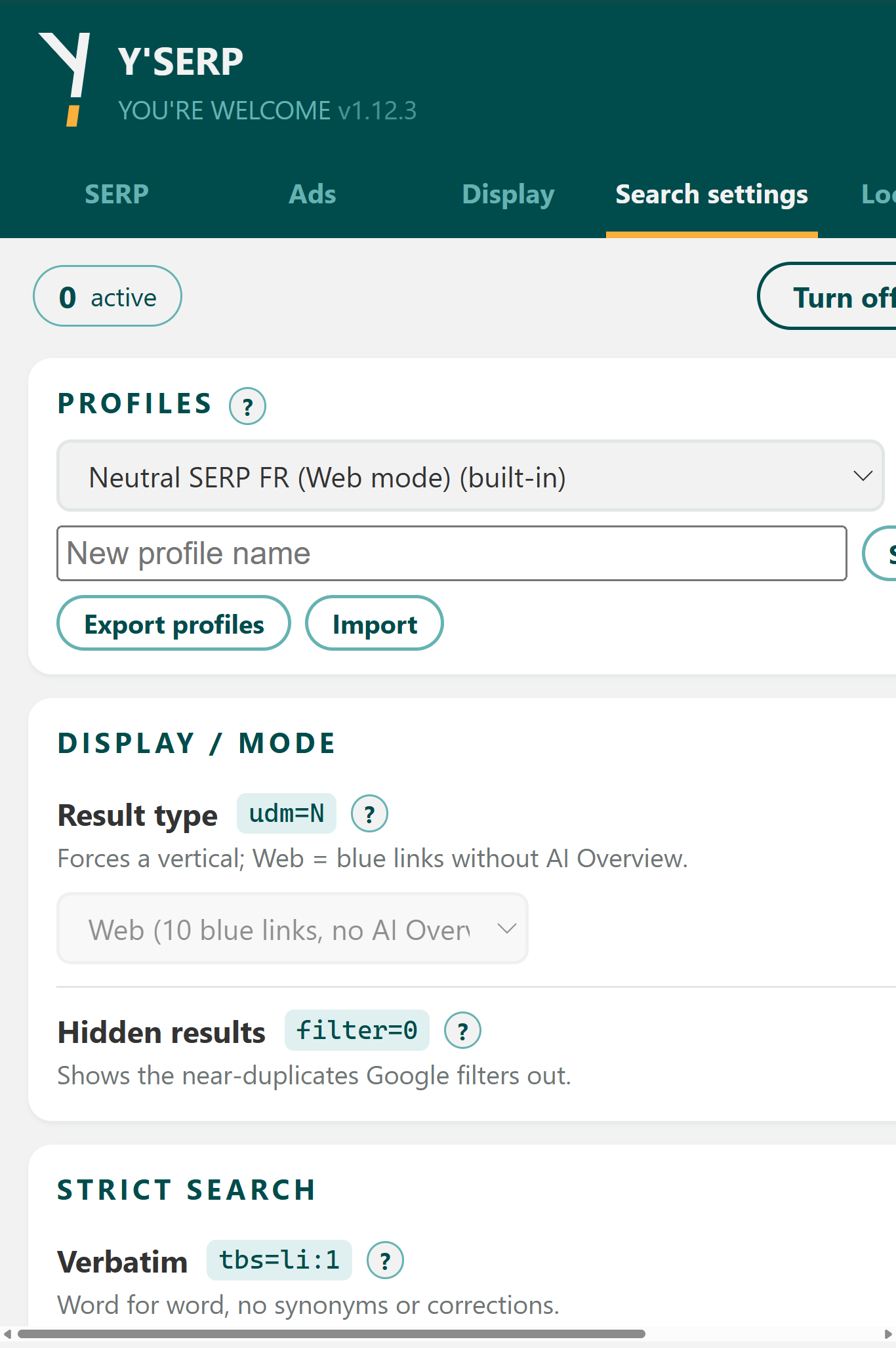
I used to keep these settings in bookmarks, then in a script, then in a Chrome extension I am about to ship: Y’SERP. It sets the parameters on every search (profiles “neutral SERP”, “US view”, “local audit”, “paid search audit”).
And above all it reads the resulting page: SERP zones and the share of each, intent, ads and advertisers, ranked pages, tracking over time. It is coming soon to the Chrome Web Store.
This article will be updated as things evolve. This is the English version of an article first published in French on 23 September 2026. If you observe a different behaviour on your side, say so in the comments, I am interested (and so will be the next readers).
Last check of the tests: 21 September 2026.